How to start a deal as buyer/seller on dealkaro.pk ?
Let's start a deal with as a buyer for this you have to signup first as seller or buyer for this visit dealkaro.pk click on Login/Register button

A login popup will be visible now click the register now button to navigate to the registration form

Now register as buyer /seller by giving the required details:
Select Buyer/Seller
Add your first name.
Add your second name.
Add your email address.
Add your desired password.
And mark check the “terms and conditions”.
Now press “Register Now” Button

Now log in as a user
Enter your email and password
And click on the “Login Now” Button

You will see a dashboard having different options on the left side and numbers on the right side showing your relevant data like the balance in your wallet. Number of escrows and your transaction logs.

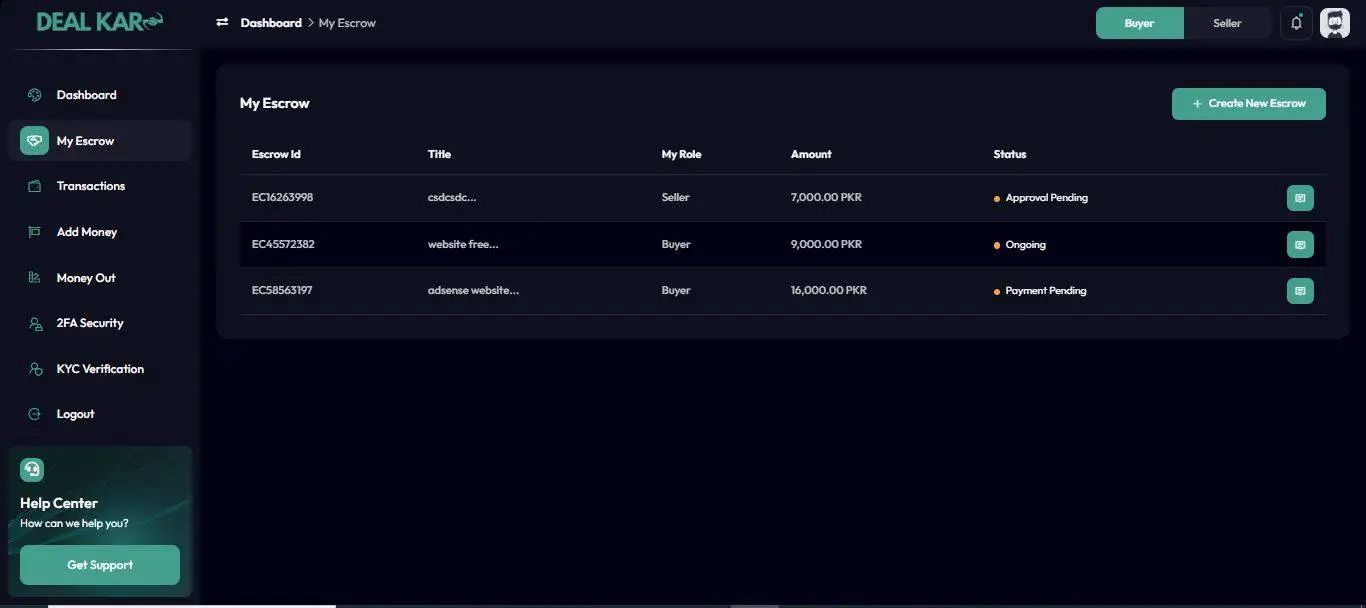
Now click on the “My Escrow” button on the left sidebar to create your first deal

Now Click on the “Create New Ecrow” button

No here is the main thing you have to add the relevant information regarding your deal
- Write a relevant title of your deal
- Select the relevant category of your deal or select the best possible category.
- Select your role as buyer or seller
- The most important section is who will pay the escrow fee. You can select from three options: Seller, Buyer or 50/50*
*When you will select buyer the buyer will have to pay the fee, if you select seller then seller has to pay the fee if select 50/50 the fee will be split b/w both parties.
- Enter the email of the opposite party*.
*the opposite party must register with dealkaro.pk so the system will mark it as valid to make a deal.
- Now enter the amount of the deal in PKR.
- In the remarks section write all the relevant details about the deal on which both parties agree.
- In the Attachment section upload screenshots of WhatsApp/messenger chats or any other medium where the deal is negotiated.
- Select how to pay by selecting “ Pak Bank Account (manual) ” for the first time. If you already have credits in the wallet then select the wallet option.
- Now press the “Submit Escrow” Button.

The next screen will show the payment details you have to check and
fee about the deal other details are visible you have to confirm the details and press the “Confirn&Pay” Button.

Now the escrow will be submitted and the status will be “approval required/payment pending”
The approval required will be changed to ongoing when the opposite user/party accepts the escrow as the buyer and you are the seller while payment pending will be changed to ongoing when the payment is approved by the admin if you are the buyer.

You can also chat with the opposite user/party by clicking on the chat button on every escrow deal on the left side
**Always chat in the dealkaro chat so the admin can resolve the dispute. (if any)

The deal will be complete when you press the “Release Payment” Button if all goes well as mutually decided.

If you oppose parting have any issue regarding the deal you can file a dispute by clicking on the “Dispute Payment” Button. As a result system will hold the funds and send the case to the admin. Admin will decide the case on available data/attachments/chats etc.

Note: Both parties have equal rights.
- Disputes will be decided on available proofs.
- If any party is found guilty, payment will be released to the other party.
- Both parties can mutually decide to cancel the deal, in the result funds will be reverted back to the wallets after deducting the fee.